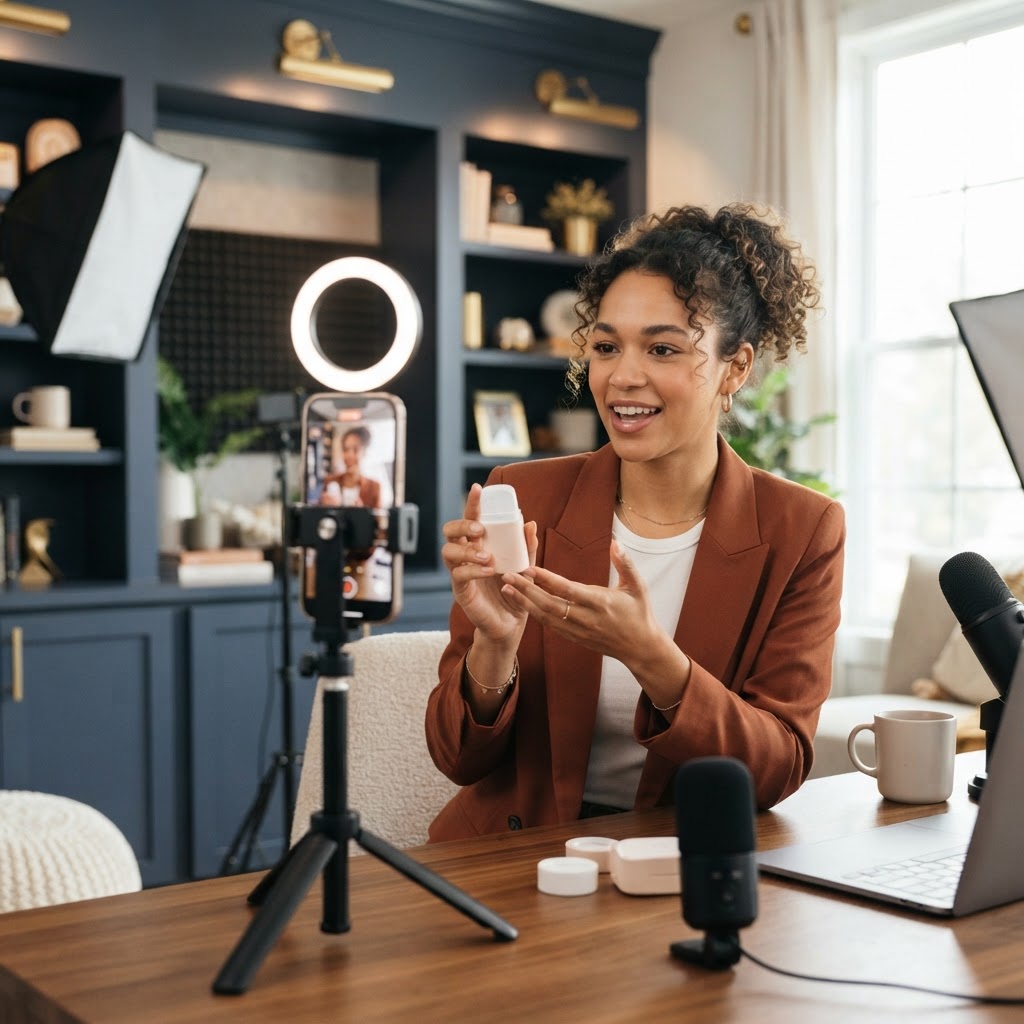
What Is a Content Shoot Day? How to Film a Month of Content in One Day

A content shoot day is one planned day where you film a whole month of social media videos at once, using scripts written ahead of time, set locations, and a small crew or a simple setup. Instead of trying to make a new video every few days, you show up once, film everything, and editors turn the footage into posts for the next several weeks. It is the simplest way to stay consistent when you are too busy to film every week.
For most business owners, the problem is not ideas. It is time. Between clients, staff, and everything else, "make a video" sits at the bottom of the list until the week is gone. A shoot day flips that. You protect one day on the calendar, and that one day feeds your social media for the whole month.
Key Takeaways
- A content shoot day packs a month (or more) of filming into one focused session.
- Most of the work happens before the camera turns on: goals, scripts, shot lists, outfits, and locations.
- Setting up lights, mic, and wardrobe once saves hours compared to filming one video at a time.
- A well-run day can produce a dozen or more finished short videos, plus extra footage and photos.
- Editing, captions, and scheduling after the shoot are what turn raw footage into a consistent feed.
- You can run a shoot day yourself or hire a team that scripts, films, edits, and posts for you.
What Happens on a Content Shoot Day
A content shoot day has four phases. Only one of them actually happens on the day itself, which surprises a lot of people.
- Plan. Decide what the month's videos need to do, then write the scripts and the shot list.
- Film. Record every talking video, every bit of extra footage, and any photos in one session.
- Edit. Cut each video, add captions, music, and text on screen, and export in the right size.
- Post. Write captions, schedule everything, and reply to comments as the videos go live.
On the day itself, you move from one script to the next with very little downtime. The camera, lights, and mic stay set up. You change outfits between batches so the videos look like they were filmed on different days. A good shoot day feels busy, but it is not chaos, because every minute was planned in advance.
Why a Month of Content in One Day Beats Filming Every Week
Filming one video at a time is slow, and most of that time is wasted. You set up the tripod, find the light, fix your hair, test the mic, film for three minutes, then pack everything away. Next week, you do the whole thing again. With a shoot day, you pay that setup cost once.
Here is why filming a month of content in one day works so well:
- You set up once. Lighting, sound, and wardrobe happen one time instead of twelve.
- You get in a rhythm. By the third or fourth script, most people relax and deliver better takes.
- You stay consistent during busy weeks. The content is already in the can, so a hectic week does not mean a silent feed.
- Quality goes up. With more time to plan, scripts are tighter and shots are cleaner.
- It costs less per video. If you hire a crew, you pay for one day of their time instead of many short visits.
There is also a mental benefit. When filming is spread across the month, it hangs over you every week. When it is a single day on the calendar, you can focus on running your business the rest of the time.
Before the Shoot: Your Planning Checklist
The quality of your shoot day is decided before you ever press record. Work through this checklist one to two weeks ahead.
- Set one goal for the month. More bookings, more followers, or a launch. The goal shapes every script.
- Choose three to five content pillars. These are the main topics you will rotate, like tips, behind the scenes, customer questions, and offers.
- Write every script. Aim for 12 to 20 scripts for a month. Each one needs a strong hook, a short middle, and a clear next step. Our guide on how to write a hook for short-form video shows you how to open strong.
- Make a shot list. For each script, note where it will be filmed, who is in it, and what extra footage is needed.
- Pick your locations. Choose two or three spots, like your office, your storefront, and an outdoor area. Group scripts by location so you are not moving back and forth.
- Plan outfits. Bring two to four changes so videos look like they were filmed on different days.
- Line up people and props. Confirm team members, products, signs, and anything else that appears on camera. Get permission from anyone who will be filmed.
- Confirm the schedule. Block the day on your calendar, and tell your team not to book anything over it.
If you skip only one step, do not let it be the scripts. Walking in with "we'll figure it out" is the fastest way to end the day with three usable videos instead of fifteen.
A Sample Content Day Shoot Schedule
Every business is different, but here is a sample content day shoot schedule we often use as a starting point for one person on camera.
- 8:00 to 8:45 a.m.: Set up lights, mic, and camera in the first location. Do a quick sound and light test.
- 8:45 to 9:15 a.m.: Warm-up takes. Film one or two easy scripts to loosen up.
- 9:15 to 11:00 a.m.: Outfit one. Film the talking videos for location one.
- 11:00 to 11:30 a.m.: Extra footage. Hands at work, products, the space, the team.
- 11:30 a.m. to 12:15 p.m.: Lunch and outfit change. Move gear to location two.
- 12:15 to 2:00 p.m.: Outfit two. Film the next batch of talking videos.
- 2:00 to 2:30 p.m.: Team or customer segments, with permission.
- 2:30 to 3:30 p.m.: Outfit three. Final scripts, plus trend-style or fun videos.
- 3:30 to 4:00 p.m.: Pickups. Reshoot any lines that felt off, and grab photos for stories and posts.
Leave a little extra time at the end. Something always runs long, and it is better to finish early than to rush your last few videos.
What to Bring and Wear
Small details can save or ruin a shoot day. Here is a simple packing list.
- A phone or camera with plenty of free storage and a full battery, plus a backup battery or charger.
- A wireless clip-on mic, since clear sound matters more than a perfect picture.
- A tripod, and a light or two if your space is dim.
- Your printed scripts, or a teleprompter app on a second device.
- Two to four outfits in solid colors. Busy patterns and tiny stripes can look strange on camera.
- Water, snacks, and anything you need to touch up hair or makeup.
- Products, signs, and props from your shot list.
If you are building your own setup, our guide to the best lighting and mic for talking head videos covers simple gear that works.
How Many Videos Can You Get From One Shoot Day?
It depends on how long your videos are, how many people are on camera, and how prepared you are. With solid scripts and one main person on camera, a focused day can often produce a dozen or more finished short videos. Some businesses film more than that when the scripts are short and the person on camera is comfortable.
You can also stretch one shoot day further than you might expect:
- Cut alternate versions. One talking video can become two videos with different hooks.
- Use extra footage. Shots of your space and your work become background clips for future posts.
- Pull photos. Grab stills between takes for carousels, stories, and your website.
- Clip longer answers. A two-minute answer to a customer question might become three short clips.
This is the model our team is built around. Our Social Content Package is designed around 12 scripts, a shoot day, and 12 posted pieces, all handled by a 4-person team. The goal is simple: one day of your time, a month of content.
After the Shoot: Editing, Captions, and Posting
Filming is only half the job. Raw footage sitting on your phone does not grow your business. Here is what happens next.
Sort your footage. Label clips by script number right away, while you still remember which take was best. A shared folder with one sub-folder per video keeps everything organized.
Edit in a batch. Cut every video in the same session so they share the same style, fonts, and caption look. Add on-screen captions, since many people watch with the sound off.
Write captions in one sitting. Each caption should repeat the hook, add a line or two of value, and end with one call to action.
Schedule everything. Load the month into a scheduling tool or the platforms' own schedulers so posts go out even when you are busy.
Stay active after posting. Reply to comments and messages, especially in the first hour or two after a video goes live. That is where followers turn into customers.
For a full walkthrough of planning, filming, and editing in batches, read our guide on how to batch create social media content.
Common Shoot Day Mistakes to Avoid
- Showing up without scripts. This is the number one reason shoot days fall flat.
- Trying to film too much. Thirty rushed videos are worse than twelve good ones.
- Ignoring sound. Viewers forgive slightly soft video, but bad audio makes them scroll.
- Wearing one outfit all day. Your month of content will look like it was filmed in one afternoon, because it was.
- Skipping extra footage. Editors need background clips to keep videos moving.
- No plan for editing. If nobody is assigned to edit, the footage sits untouched for weeks.
- Filming only trends. Trends fade fast. Most of your videos should be evergreen, meaning they stay useful for months.
DIY Shoot Day or Hiring a Team?
You can absolutely run a shoot day on your own. If you are comfortable on camera, have a quiet space with good light, and enjoy editing, a DIY day can work well. Plan to spend a few hours writing scripts beforehand and many more hours editing afterward.
Hiring a team makes sense when your time is worth more running the business than learning video. A team handles the scripts, keeps the day on schedule, directs you on camera, and takes care of editing and posting. You show up, follow the plan, and get back to work.
Some businesses land in the middle. They film on their own and hand the raw footage to an editor. That is a solid option if you are comfortable on camera but simply do not have hours to spend in editing apps.
Frequently Asked Questions
How long does a content shoot day take?
Most shoot days take about six to eight hours, including setup, outfit changes, and breaks. The planning beforehand and the editing afterward take extra time, often more than the filming itself. Shorter half-day shoots can work for a smaller batch of videos.
Can you really film a month of content in one day?
Yes. With scripts written ahead of time and a clear schedule, filming a month of content in one day is very doable. The key is preparation, so you are moving from script to script instead of brainstorming on the spot.
What should I wear to a content day shoot?
Bring two to four outfits in solid colors that fit your brand and feel comfortable. Avoid tiny stripes, busy patterns, and noisy jewelry that can rub against a mic. Changing outfits between batches makes your videos look like they were filmed on different days.
How many videos should I plan for one shoot day?
Plan around 12 to 20 scripts for a month of content, depending on how often you post. If this is your first shoot day, start on the lower end. It is better to nail 12 videos than to rush through 25.
What happens if I mess up a take on camera?
Just pause, take a breath, and start the line again. Editors cut out mistakes, so nobody will see them. Many people find they get more comfortable as the day goes on, which is why we often film easy warm-up scripts first.
Do I need a professional crew for a content shoot day?
No, but it helps. A phone, a clip-on mic, a tripod, and good light are enough to start. A professional crew adds direction, better lighting and sound, and handles editing and posting so you do not have to.
Book Your Content Shoot Day
If you want a month of scroll-stopping short videos without giving up a day every week, a content shoot day is the answer. At Social Content Masters, we script, film, edit, and post, so all you do is show up. We are based in Las Vegas and fly out to film clients in other cities, and our full shoot-day offer applies wherever you are.
Our team has worked with 350+ brands and creators and uses 100+ content frameworks to plan every script. Book a free content strategy session and we will help you map out your first shoot day.
Want content like this made for your brand?
We script, film, edit, and post. You get your time back.
Book a Consultation