How to Be Confident on Camera: A Guide for Business Owners

You learn how to be confident on camera through preparation and repetition, not by being a natural performer. Know your 3 main points instead of memorizing a script, talk to one specific person through the lens, and film lots of short, low-pressure videos until it feels normal. Most business owners feel noticeably more relaxed after recording a couple dozen videos.
Why does this matter? Short-form video is one of the best ways for a small business to get found, and videos where the owner shows up tend to build trust fast. People want to buy from a person, not a logo. But if you freeze up every time the red light turns on, you will keep putting video off, and your competitors who do show up will win those customers instead.
Key Takeaways
- Camera confidence is a skill you build with practice. Almost everyone feels awkward at first.
- Use bullet points, not a word-for-word script. Know your hook, your 3 points, and your call to action.
- Talk to one real person, like your favorite customer, instead of "everyone on the internet."
- Get your lighting, sound, and framing set up once so you can stop worrying about the tech.
- Mistakes are fine. Keep rolling, pause, and restart the sentence. Editing fixes the rest.
- If you are very camera shy, start with formats like voiceovers, hands-only videos, or interview-style clips.
Why Camera Nerves Happen (and Why They Are Normal)
If you feel stiff, sweaty, or blank the moment you hit record, you are not broken. Talking to a piece of glass is a strange thing to do. In a normal conversation, you get feedback: nods, smiles, questions. The camera gives you nothing back, so your brain fills in the silence with worry.
There is also the fear of judgment. What will my old classmates think? What if a competitor laughs at me? What if I say something wrong? These thoughts are common for every camera shy business owner we work with, including people who are confident and successful in every other part of their life.
The good news is that this fades with reps. The tenth video feels very different from the first. The thirtieth feels almost boring. You do not need to wait until you feel confident to start. Confidence shows up after you start.
Prepare the Right Way: The Bullet-Point Script Method
The fastest way to look nervous is to try to memorize a full script word for word. You end up staring into space trying to remember the next line, and it shows. The other extreme, winging it with no plan, leads to rambling and lots of "um."
The sweet spot is a bullet-point script. For each video, write down just four things:
- The hook: One sentence that grabs attention in the first 3 seconds. Write this one out word for word, because it matters most.
- Point one: A short phrase, not a full sentence.
- Point two (and three if needed): Again, just a few words each.
- The call to action: What should the viewer do next? Write this one out word for word too.
Here is an example for a plumber:
- Hook: "Stop pouring this down your kitchen drain."
- Point 1: Grease hardens in pipes.
- Point 2: Coffee grounds clump together.
- Point 3: What to do instead (trash can, paper towel).
- Call to action: "Follow for more tips that save you a service call, and DM us if your sink is already slow."
With this method, you know exactly where you are going, but you say it in your own words. That is what makes you sound natural. Read your bullets out loud two or three times before you hit record, then put the paper down or keep it just below the camera.
Set Up Once So You Can Forget About the Tech
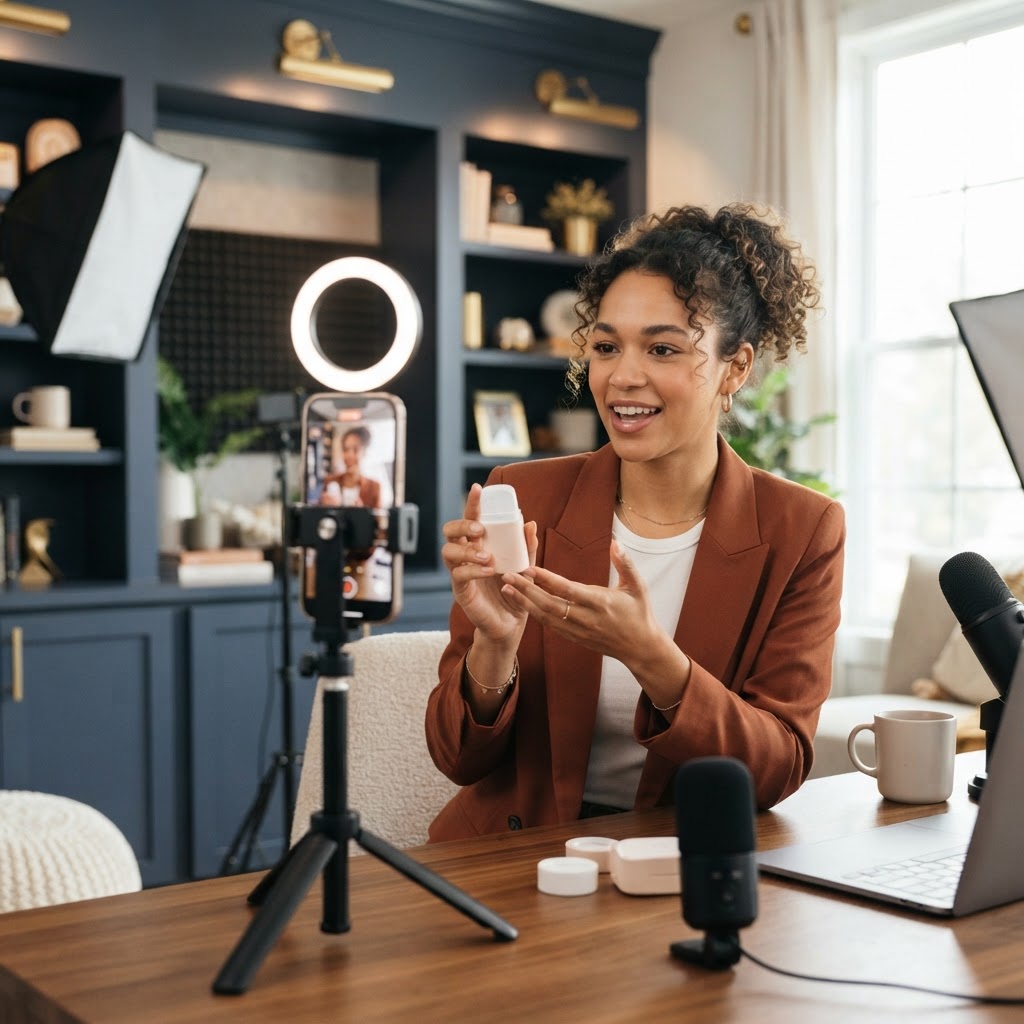
A lot of camera nerves are really tech nerves. Is the light okay? Can they hear me? Is my head cut off? When your setup is solid, your brain has one less thing to worry about.
Get these basics right once, then leave them alone:
- Light from the front. Face a window or put a soft light behind your phone. Avoid having a bright window behind you, which turns you into a dark shadow.
- Clear sound. A small clip-on microphone makes a big difference and is easy to use. Our guide to the best lighting and mic for talking-head videos covers simple options.
- Camera at eye level. Stack books or use a tripod. Looking down at a phone on a table is not a flattering angle and feels awkward.
- Frame from the chest up. Leave a little space above your head and keep your face in the upper third of the screen.
- Use the back camera if you can. It usually has better quality. Use the front camera if seeing yourself helps you relax, but try not to watch yourself while talking.
- Mark your spot. Put a piece of tape on the floor so you stand in the same place every time.
Once this is set, you can walk in, press record, and focus only on talking.
Talking to Camera Tips That Make You Look Natural
These are the talking to camera tips we give every client on shoot days. If you have ever wondered how to be confident on camera without faking a big personality, this is where it starts. None of these tips require you to be a different person.
Talk to one person. Picture your favorite customer sitting right behind the lens. Say their name in your head before you start. You are not giving a speech to thousands. You are explaining something to one person who needs your help.
Look at the lens, not the screen. Your eyes naturally drift to your own face on the screen. Put a small sticker or a dot next to the lens as a reminder. Looking into the lens is how viewers feel you are talking to them.
Bring a bit more energy than feels normal. The camera flattens energy. What feels like "a lot" to you usually looks just right on video. Smile before you start talking and let it show in your voice.
Slow down and pause. Nervous people talk fast. A short pause between points looks confident and gives the editor clean places to cut.
Use your hands. Gesturing like you would in a real conversation helps your voice sound more natural. Keep your hands inside the frame and in front of your chest.
Start in the middle of the action. Skip "Hey guys, so today I want to talk about." Start with your hook. It sounds more confident and keeps viewers watching.
Count yourself in. Take a breath, count "3, 2, 1" in your head, smile, then start. That small pause before you speak also gives the editor a clean start.
What to Do When You Mess Up
You will mess up. Everyone does. Professional presenters do multiple takes too. The trick is to keep the camera rolling.
When you stumble:
- Do not stop recording. Stopping and restarting the camera breaks your flow and makes each restart feel like a big deal.
- Pause for two seconds. This creates a clean spot for editing.
- Restart the sentence, not the whole video. Go back to the start of the line you stumbled on and say it again.
- Keep going. If you nail a section, move on. You do not need one perfect take of the entire video.
Short-form videos are made of many quick cuts anyway. Viewers expect jump cuts. Nobody will know you said a line four times.
If you say "um" a lot, do not fight it while you film. Slow down a little, pause instead of filling silence, and let the editing remove the rest. Over time, the "ums" fade on their own.
A 14-Day Plan for How to Be Confident on Camera
This plan is built to make being on camera feel normal, fast. Each day takes 10 to 20 minutes. You do not have to post anything from the first week if you do not want to.
- Day 1: Record a 30-second video introducing yourself and what your business does. Do not watch it yet.
- Day 2: Record the same intro again. Now watch both. Notice that day 2 is already better.
- Day 3: Answer the question customers ask you most, in under 60 seconds.
- Day 4: Record a quick tip using the bullet-point method.
- Day 5: Film a video while doing your work, talking as you go. Moving makes most people more relaxed.
- Day 6: Record three tips back to back in one session. This is your first mini batch.
- Day 7: Watch all your videos from the week. Pick your favorite and post it.
- Day 8: Record a "myth vs. truth" video about your industry.
- Day 9: Film a short behind-the-scenes clip of your shop, office, or team.
- Day 10: Tell a quick story about a customer you helped (no private details).
- Day 11: Film a video with a team member or friend asking you questions off camera.
- Day 12: Record five short videos in one 30-minute session.
- Day 13: Post two of your best videos from this week.
- Day 14: Watch your day 1 video and today's video side by side.
By day 14, you will have filmed more than 20 videos. That side-by-side comparison is usually the moment people realize how much they have improved.
Easier Formats for Camera-Shy Owners
If talking straight to the camera still feels like too much, you have options. These formats still build trust and let customers get to know you, without the pressure.
- Voiceover with B-roll: Film your work, your products, or your space, then record your voice over the top. Your face does not need to appear at all.
- Hands-only videos: Show your hands doing the work, like cutting hair, fixing a pipe, or plating a dish, while you explain.
- Interview style: Have someone ask you questions just off camera. You look at them, not the lens. This feels like a real conversation and often produces your most natural clips.
- Walk and talk: Film while walking through a job site, your store, or your neighborhood. Movement burns off nervous energy.
- Green screen: Stand in front of a screenshot, review, or photo and react to it. Having something to point at gives you a natural focus.
- Teleprompter apps: Some apps scroll your script near the lens. They help some people, but reading can sound flat, so practice until it sounds like talking.
If you are deciding whether to show your face at all, our guide on faceless content vs showing your face breaks down the pros and cons for business accounts.
Dealing With the Fear of Judgment
For many owners, the hardest part is not the camera. It is what people will think.
A few things worth knowing. First, most people who see your videos are strangers who need what you sell. They are not judging your hair. They are deciding whether you can solve their problem. Second, the people you know personally are usually more supportive than you expect. Third, the owners who look confident online were awkward once too. They just kept posting.
If you get a negative comment, you have three choices: ignore it, delete it if it is rude or spam, or answer it kindly if there is a real question inside. Do not argue. A calm, helpful reply often makes you look more trustworthy to everyone else reading.
Let a Team Direct You
One of the biggest confidence boosters is having someone else run the shoot. When a director is handling the lights, sound, framing, and script, all you have to do is talk. They can feed you lines, tell you when a take was great, and give you a quick note when something is off.
That is how our shoot days work at Social Content Masters. We write the scripts ahead of time, set up the gear, and coach you through each video on the day. Most clients are surprised how much they relax once they realize they only need to focus on one thing. If you want to understand how a full day like this works, read what a content shoot day is. Our Social Content Package includes the scripts, a shoot day, and posting, so you can show up as the face of your business without carrying the whole workload.
Frequently Asked Questions
How do I become more confident on camera fast?
The fastest way is to film a lot of short videos in a short time. Record one or two videos every day for two weeks using a bullet-point script, and do not judge the early ones too harshly. Confidence comes from repetition, so the more reps you get, the faster it grows.
Why do I look so awkward on camera?
Most people look awkward because they are trying to memorize lines, looking at the screen instead of the lens, or speaking with less energy than normal. Use bullet points, look into the lens, and add a little extra energy. Good lighting and eye-level framing also make a big difference.
Where should I look when talking to the camera?
Look directly into the camera lens, not at your own face on the screen. Put a small sticker next to the lens as a reminder. If you are doing an interview-style video, look at the person asking questions just beside the camera instead.
Should I use a script or just wing it?
Use a middle path. Write your hook and call to action word for word, and keep your main points as short bullet notes. This keeps you on track while letting you speak in your own words, which sounds much more natural than reading.
How do I stop saying "um" on camera?
Slow down and replace the "um" with a short pause. Pauses look confident and are easy to edit out, and the editing can remove the "ums" that slip through. Over time, as you get more comfortable, you will naturally use fewer filler words.
Can a camera shy business owner still do well on social media?
Yes. Many camera-shy owners do very well with voiceovers, hands-only videos, interview-style clips, and behind-the-scenes content. You can start there and slowly add more talking to camera as your confidence grows.
How long does it take to get comfortable on camera?
It varies, but most people feel a clear difference after recording 20 to 30 videos. If you film every day, that can happen in two or three weeks. The key is to keep going through the uncomfortable early phase instead of stopping after a few tries.
Get Coached Through Your First Shoot
Learning how to be confident on camera is much easier when you are not doing it alone. Our team writes your scripts, sets up the lights and sound, and directs you through every video so you can focus on being yourself. Many of our clients started out camera shy and now show up on video every week.
Book a free content strategy session and we will talk through your goals, your comfort level on camera, and the video formats that fit you best.
Want content like this made for your brand?
We script, film, edit, and post. You get your time back.
Book a Consultation