
The Role of Filming and Editing in Crafting Viral Social Media Content
Introduction:
Creating viral social media content is both an art and a science. At its core, success lies in the balance between engaging visuals and precise editing. For platforms like TikTok, where short, snappy videos dominate, the role of filming and editing becomes even more critical. Filming sets the stage, while editing transforms raw footage into a story that connects with millions. This blog will guide you through the importance of filming and editing, focusing specifically on editing TikTok videos in Premiere Pro to enhance your content’s viral potential.
Why Filming Matters in Viral Content?
Capturing the Right Shots
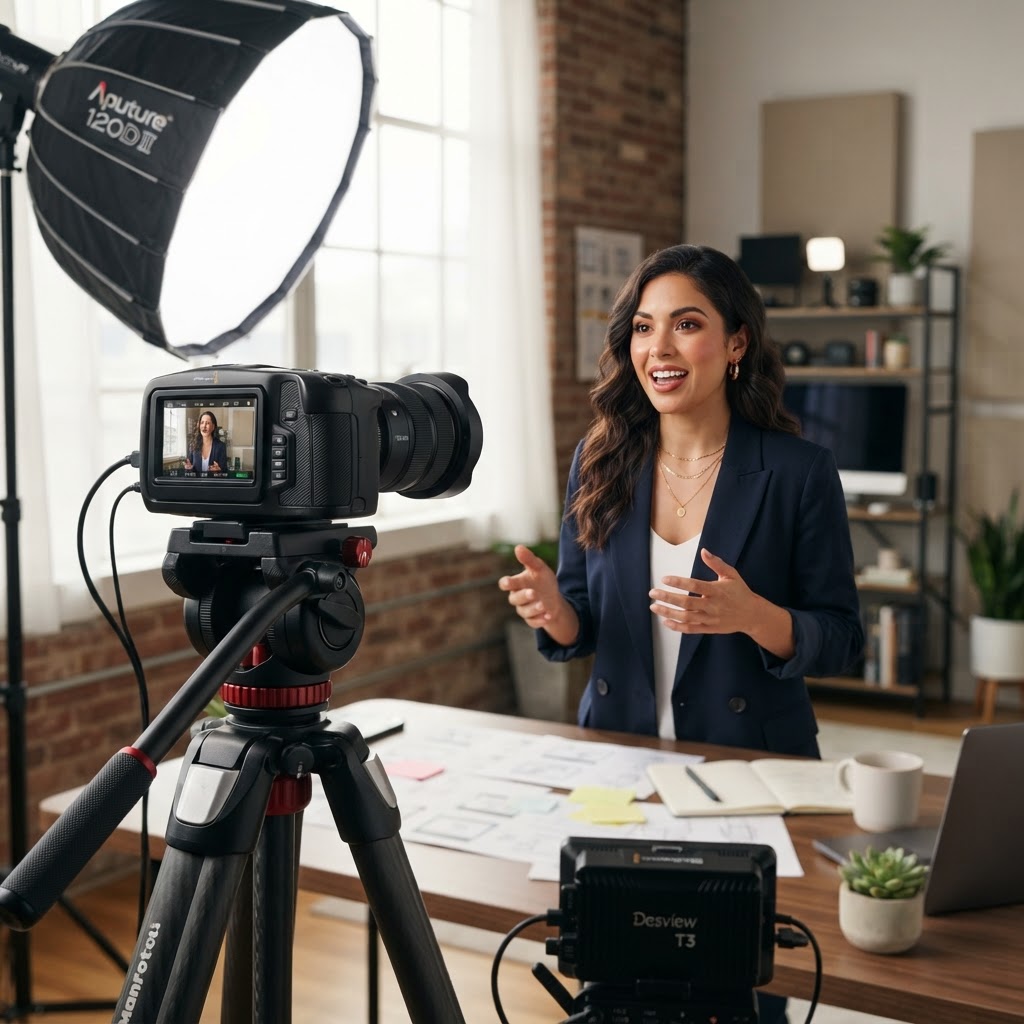
Filming is the foundation of any video. Viral content often starts with creative, well-planned shots that resonate with audiences. Use natural lighting when possible, as it brings out vibrant colors and sharp details. Focus on framing your subject, keeping the rule of thirds in mind for visually appealing compositions.
Storytelling Through Filming
Your story begins the moment you press record. Whether you’re filming a quirky dance challenge, a DIY tutorial, or an emotional skit, think about how your audience will perceive the video. Consistency in angles and smooth transitions during filming reduce the effort required during editing, ensuring a seamless final product.
The Power of Editing in Social Media Content
Why Editing Makes or Breaks Viral Content?
Editing is more than trimming clips. It’s where raw footage is turned into polished, shareable content. For TikTok, where trends move fast, editing is what helps creators keep their videos engaging, fast-paced, and trend-relevant.
The right editing tools, like Premiere Pro, allow you to experiment with cuts, transitions, and effects, tailoring your videos to your niche while maintaining professionalism. Adding subtitles or captions ensures accessibility and helps grab attention when viewers scroll through their feed on mute.
Editing TikTok Videos in Premiere Pro
Importing and Organizing Footage
Before diving into edits, import your clips into Premiere Pro. Organize them into folders for easier navigation. For TikTok videos, prioritize short clips that capture key moments. Always set your sequence to a vertical 9:16 aspect ratio, as this is TikTok’s preferred format to simplify editing TikTok videos in Premiere Pro.
Cutting and Trimming for Maximum Impact
Trim unnecessary sections to keep your video concise and engaging. Use the razor tool in Premiere Pro to make precise cuts. Arrange clips in a way that maintains a fast pace, matching the energetic vibe TikTok audiences love. Don’t let any scene overstay its welcome—each second should add value to the story.
Adding Transitions and Effects
Transitions are essential to keep viewers engaged. Simple cuts often work best for TikTok, but creative effects, like zoom-ins or glitch transitions, can add flair. Premiere Pro offers a range of built-in effects. Experiment with these to align with trending styles on TikTok.
Color grading is another powerful tool. Use Premiere Pro’s Lumetri Color panel to adjust brightness, contrast, and saturation. Vibrant colors help your videos stand out and appear professional.
Syncing to Music and Trends
TikTok is heavily driven by music and trends. To capitalize on this, ensure your video syncs perfectly with the audio. Premiere Pro’s timeline tools make it easy to align clips with beats. Download trending TikTok audio and import it into your project to ensure your video fits seamlessly into the platform’s ecosystem.
Adding Text and Subtitles
Subtitles aren’t just an accessibility feature; they also keep viewers hooked. Premiere Pro lets you add custom text overlays with ease. Choose bold, readable fonts and use animations to make them visually appealing. Place text strategically to highlight key points or deliver punchlines.
Tips to Make Your Videos Go Viral
Keep Content Relatable
Viral videos often tap into universal emotions or shared experiences. Whether it’s humor, nostalgia, or motivation, ensure your content speaks to your target audience.
Optimize for Mobile Viewing
Since TikTok is primarily a mobile app, ensure your video looks great on small screens. Keep important elements within the center of the frame, avoiding the edges where UI overlays may obstruct them.
Leverage Analytics to Improve
Track how your videos perform. Look for patterns in engagement—what worked and what didn’t. Use these insights to refine your filming and editing techniques for future videos.
Conclusion
Filming and editing are the backbone of viral social media content. You can create videos that captivate and connect with your audience by focusing on creative filming techniques and mastering tools like editing TikTok videos in Premiere Pro. Remember, the key lies in keeping your content engaging, relatable, and trend-driven.
Ready to elevate your content? Start editing TikTok videos in Premiere Pro today and craft viral social media content that stands out!
Want content like this made for your brand?
We script, film, edit, and post. You get your time back.
Book a Consultation